
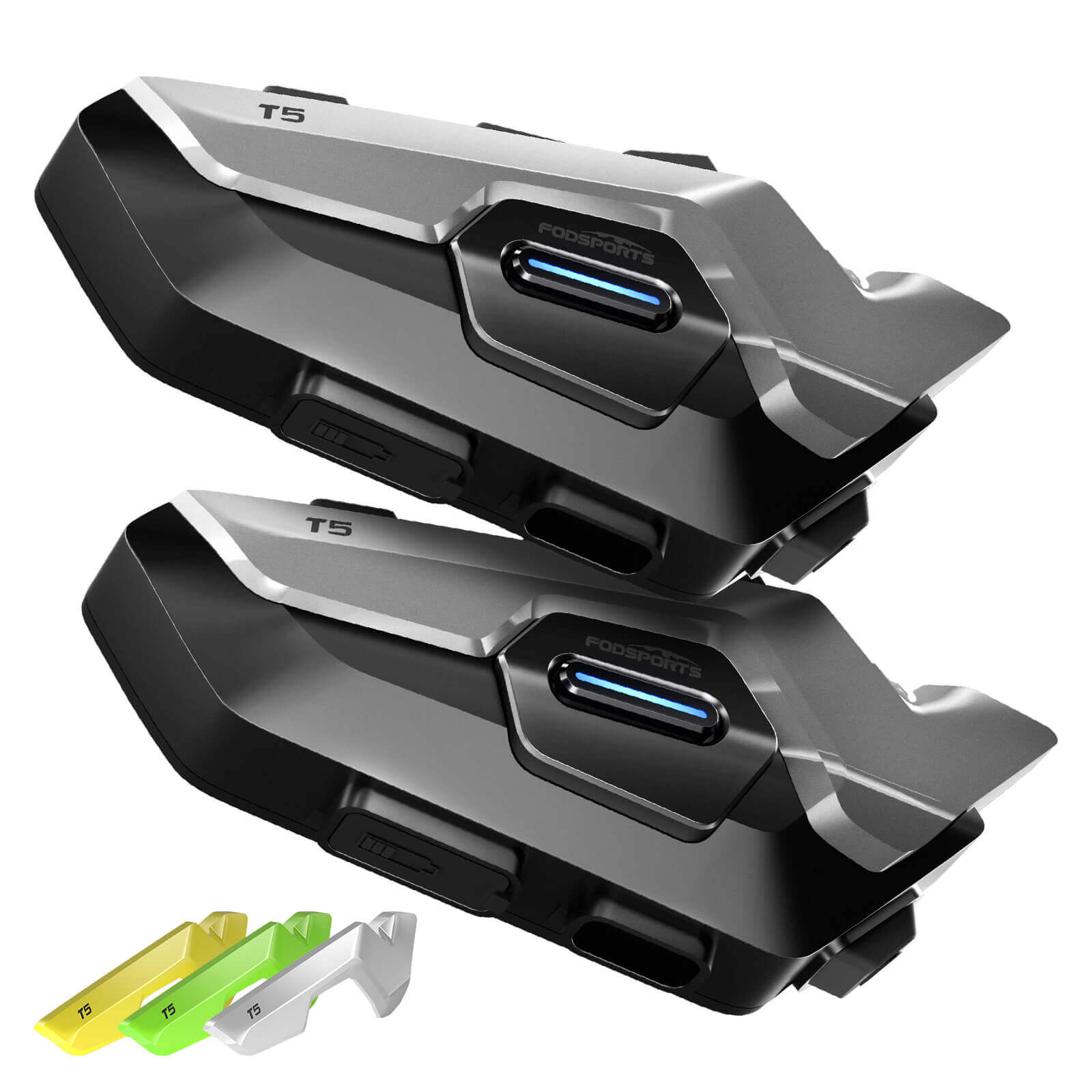
Fodsports T5 User Manual language :

Frequently Asked Questions
Is my unit still under warranty?
All Fodsports units come with a standard warranty, starting from the date of purchase. REGISTER NOW to get an extra 6 months of free warranty.
Create a record of ownership on our website in case of loss or theft.
Please keep your proof of purchase in order to reclaim your warranty.
Your first point of warranty service is your dealer.
Why are my speakers volume low?
A: Please note that both the volume of the intercom or the volume of listening to music can be adjusted with the volume +- button, if you think the intercom volume is too low, you can press “+” button to increase the intercom volume.
Why are my two speakers or one side speaker unavailable/no sound?
Please note that both the volume of the intercom or the volume of listening to music can be adjusted with the spin button, if you think the intercom volume is too low, you canTurn clockwise to increase the intercom volume.
How long will it take to receive the items we buy?
For fast delivery, it will take 5-7 workdays;
For standard free shipping, it will take nearly 30 workdays.
Why does the indicator light on the charging head not light up when charging?
Our product itself does not have a charging head.
1. Change the charger
2. Use the computer’s USB port to charge
For standard free shipping, it will take nearly 30 workdays.
The indicator light of the charging head is on but the indicator light of the main unit is not on
1. It is recommended to replace the charging cable (if you buy a double pack, it is recommended that the buyer exchange the charging cable for testing)
2. It is possible that the indicator light of the host is broken, other functions are normal, and it does not affect normal use
3. If 1.2 is not feasible, it is estimated to be a problem with the host, and it needs to be returned for repair or replacement
The indicator lights of the main unit and the charging head are on, the main unit cannot be turned on or the working time is very short after charging
1. It is recommended to replace the charging cable (if you buy a double pack, it is recommended that the buyer exchange the charging cable for testing)
2. It is possible that the indicator light of the host is broken, other functions are normal, and it does not affect normal use
3. If 1.2 is not feasible, it is estimated to be a problem with the host, and it needs to be returned for repair or replacement
Why can't the Bluetooth connect?
Clear the Bluetooth pairing information of the intercom and connect it again.
Bluetooth connection to mobile phone is interrupted while riding.
1. Part of the cell phone signal is blocked by the human body. Check whether the cell phone is completely blocked by the human body.
2. Whether there is signal interference in the current environment, it is recommended to connect again in another environment。
Why is there no sound when playing music on a Bluetooth-connected mobile phone?
Check whether the earphones are properly inserted as required and whether the earphones are inversely inserted. 2. Replace the earphone cable
Why can't the intercom connect?
Clear the Bluetooth pairing information of the intercom and connect it again.
Why can't I hear the other party's voice when the intercom is in use?
1. Check whether the earphone accessories are normal and properly inserted.
2. If there are too many obstacles between interphones, part of the Bluetooth signals will be blocked. It is recommended to reduce the obstacles between interphones.
3. Whether the speed exceeds 60 km/h or the distance exceeds 300 meters, it is recommended to ride within the effective speed range.
Why can't FM find channels?
1. FM signal is affected by the weather and surrounding environment, so it is recommended to use it in an open environment without shelter.FM effect will be better when the weather is clear.
2. Whether there is signal interference in the current environment, it is recommended to switch on FM again in another environment
Why is the sound of the earphones low?
1. Turn up the volume of the intercom to check whether the volume is increased.
2. Check whether the earphones are properly assembled and the speakers are close to the ears.
why it can't recognize speech?
The voice assistant can be recognized only when it is connected to the Internet. Please confirm whether the mobile phone network signal is normal.
Waterproof maintenance
1. Do not soak the Bluetooth intercom in water.
2. After using the Bluetooth intercom on rainy days, wipe the water off the surface of the walkie-talkie and remove the headset to prevent water from entering the headset or USB port.
Fodsports T5 FM Function Tutorial | How to Use Built-In FM Radio
Fodsports T5 Installation Guide | How to Mount Your Intercom on a Helmet
Fodsports T5 Two-Person Intercom Guide | Easy Rider-to-Rider Connection
Fodsports T5 Phone Call Function | Hands-Free Calling While Riding
Fodsports T5 Language Switch Tutorial | Change System Language
Fodsports T5 Music Sharing Function | Share Music Between Two Riders
Fodsports T5 Phone Pairing Tutorial | Connect Your Smartphone Easily
Fodsports T5 Unboxing | Full Package & First Look
Fodsports T5 Music Playback Tutorial | Listen to Music While Riding
Fodsports T5 Voice Assistant Tutorial | Use Voice Control While Riding
Tech Specs
| Manufacturer | Fodsports |
|---|---|
| Brand | Fodsports |
| Item model number | T5 |
| Packing Weight | 318g (single pack) |
| Packing Dimensions | 203*113*46mm |
| Intercom Distance | 1000m |
| Intercom number | 2 Rides |
| Bluetooth Version | Bluetooth 5.4 |
| FM Radio | 76 – 108 MHz |
| Waterproof Level | IP67 |
| Music Sharing | Available |
| Voice Command | Available |
| Power Display on Phone | Available |
| Automatic Answering Calls | Available |
| Working Time | Phone talk: 30 Hours Intercom: 30 Hours Music time: 30 Hours Standby time: 300 Hours Charging time: 3 Hours |
| Charging Port | Type-C |
Can’t find what you need
To contact Customer Service, please
Operation hours: Mon -Fri: 9:00 AM-6:00 PM (GMT)
No instruction videos for the T5 (2). User Manual doesn’t give clear instructions –
February 17, 2026 at 5:30 pmColor of Lights meaning
How to tune in to a FM Station. Save that station also
How to switch from talking to listening to shard music.
How to keep the units paired with each other and to your phone.
Is there an app that can be downloaded to help?
Hi John!
Sorry that we did not add instruction videos for the T5.
Now we have added several videos for the T5. You can watch the videos and get the instructions about each function.
As for the APP, sorry, currently, the T5 dose not support pairing with our APP. It may realize this in the future.
March 4, 2026 at 1:56 am